

CS2 (CS:GO) Case Opening
Our builds
Page 1 of 1

Classics
CS2 Cases on CSRAGE — browse drop tables with transparent odds
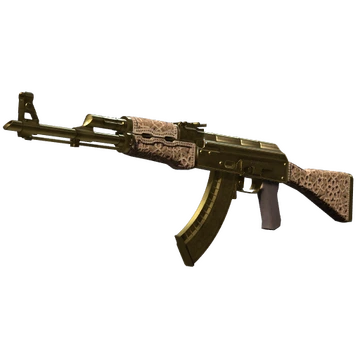
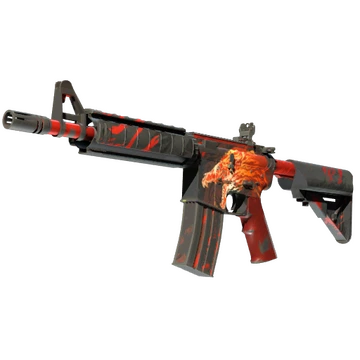
The Cases page lists every case currently available to open on CSRAGE, grouped into Our Builds (curated cases hosted on this platform) and Classics (recreations of well-known case lineups). Use the filters to sort by price, popularity, recency, or what fits your balance, and search by name to jump straight to a specific case. Every card shows the case price, top-tier highlight items, and a link to the full drop table.
Each case opening is a single spin on the same provably fair pipeline. A ticket is drawn from a 100,000-wide range at round time and mapped to an item using the case's published ticket widths; a wear variant (Factory New, Minimal Wear, Field-Tested, Well-Worn, Battle-Scarred) is then resolved from that item's own sub-ranges. There is no soft "near-miss" logic and no per-account adjustment — the same case configuration applies to everyone.
You can open any case solo from its detail page, or queue several players against the same case lineup in a Case Battle. Both flows use the same fairness primitives, so a case opened solo and the same case opened inside a battle are statistically identical.
How are case odds shown and how do I read them?
Open any case to see its full drop table. Every item line shows its name, rarity color, and the percentage chance of being drawn. The percentages are derived from the case's ticket widths in a 100,000-bucket space, so they always sum to exactly 100% across the pool. The table is sorted by rarity by default — high-tier knives and gloves at the top, common items at the bottom — but you can also sort by drop chance to see the rarest items grouped together.
What is the difference between "Our Builds" and "Classics"?
Our Builds are cases curated specifically for CSRAGE — a hand-picked mix of skins, themes, and price points designed for the way our community plays. Classics are faithful recreations of well-known historical case lineups so you can open the pools you remember from CS:GO and CS2. Both sets share the same fairness pipeline and the same UI; the split exists purely so it is easier to find what you want at a glance.
How does a case spin actually work under the hood?
When you press Open, the server draws a single integer ticket from a uniform 0–99,999 range using HMAC-SHA256 over your seeds and the spin nonce. The case configuration assigns a contiguous sub-range to every item — for example, a 0.50% drop occupies 500 tickets — and the ticket falls into exactly one of those sub-ranges, picking the item. A second draw within that item's wear sub-ranges resolves the wear variant. The animation is purely cosmetic; the result is determined the moment the ticket is drawn.
Can I see the chance of a specific item before I pay?
Yes — that is the whole point of publishing the drop table. Each item row in the case panel includes its drop chance to two decimal places, plus the wear distribution if the item ships in multiple wears. The total of all chances always equals 100%, and the same numbers feed both the odds display and the underlying ticket math, so what you see is exactly what the spin uses.
How do I verify a case opening was fair?
After opening, note the spin nonce shown in your case history. Rotate your seeds in Settings to reveal the server seed used for that nonce, then open the Cases verifier on the Provably Fair page. Paste the server seed, your client seed at the time, the nonce, and the case ID — the verifier replays the ticket draw against the published item ranges and must produce the exact item and wear you saw on screen.
Are free cases handled differently from paid cases?
Free cases use the exact same provably fair pipeline as paid cases — same 100,000-bucket spin, same wear sub-ranges, same verifier. The only difference is how you become eligible to open them: free cases require a valid claim source such as a daily reward, level milestone, referral bonus, or active promo. The case page tells you which claim is being used before the spin starts and which restrictions (e.g., one-per-day or wager-after) apply to the resulting items.
Why might the same case feel "hot" or "cold" over short sessions?
Short-run variance. Each spin is statistically independent under the same drop table, so streaks of common pulls or sudden rare hits are normal — exactly what randomness looks like. Across thousands of openings the empirical distribution converges on the published odds, but in any session of 10 or 50 spins you can be far above or below the expected value. The provably fair tools let you confirm this is randomness, not bias.
Can I filter cases by price or affordability?
Yes. The toolbar above the case grid lets you sort by lowest or highest price, by popularity, or by newest. When you are signed in, the affordability filter hides any case whose price exceeds your current balance so you can browse only what you can actually open. You can also search by name and combine filters with the Our Builds / Classics tabs to narrow down quickly.
What do rarity colors mean on the items?
Rarity colors mirror the familiar CS2 weapon-quality ladder: white for Consumer, light blue for Industrial, blue for Mil-Spec, purple for Restricted, pink for Classified, red for Covert, and gold for the rare special items (knives and gloves). They are visual labels — the actual drop chance is set by the case configuration and shown as a percentage on the item row, not by the color alone.
What happens to items I open?
Opened items go straight to your inventory at their listed value. From there you can hold them, sell them back to the platform at the displayed price to credit your balance, or use them as case-battle entries where supported. Specific withdrawal or cash-out options for items, where available, are explained in the inventory and cashier — always check the active terms for your region before initiating one.